Ethernet Cable Types: A Comprehensive Guide
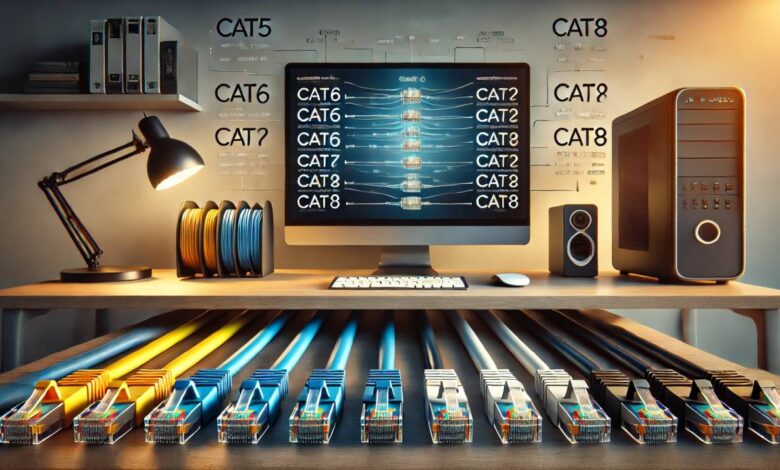
Ethernet cables are the backbone of modern wired networks, serving as the primary medium for data transmission. With the growing demand for faster internet speeds, stable connections, and seamless communication, understanding Ethernet cable types is essential. Whether you’re setting up a home network or managing enterprise-level infrastructure, choosing the right Ethernet cable ensures optimal performance and reliability.
What Are Ethernet Cable Types?
Ethernet cable types refer to the various categories of cables used to connect devices like computers, routers, and switches to a network. Each type has unique specifications, including speed, bandwidth, and shielding, tailored to specific networking needs.
Why Knowing Ethernet Cable Types Matters
Selecting the wrong cable can lead to slower speeds, increased interference, or network instability. For businesses, this could mean reduced productivity, while for gamers and streamers, it could mean frustrating lags.
The Evolution of Ethernet Cables
Ethernet technology has evolved significantly since its inception in the 1970s. Early iterations focused on basic connectivity, but modern Ethernet cables accommodate high-speed data transmission for complex networks.
Common Ethernet Cable Types
Cat5 Ethernet Cable
Cat5 cables, short for “Category 5,” are one of the earliest standardized Ethernet cables still in use today.
- Speed: Up to 100 Mbps
- Bandwidth: 100 MHz
- Usage: Ideal for basic home networks and legacy systems.
While functional, Cat5 cables are considered outdated and are being replaced by more advanced options.
Cat5e Ethernet Cable
An enhanced version of Cat5, Cat5e (Category 5 Enhanced) is a popular choice for budget-conscious users seeking better performance.
- Speed: Up to 1 Gbps
- Bandwidth: 100 MHz
- Usage: Perfect for small to medium-sized networks.
- Advantages: Reduced crosstalk and backward compatibility.
Cat6 Ethernet Cable
Cat6 cables bring faster speeds and higher bandwidth, making them a staple in modern networks.
- Speed: Up to 10 Gbps for distances under 55 meters
- Bandwidth: 250 MHz
- Usage: Great for gaming, video streaming, and professional networks.
Cat6a Ethernet Cable
The “a” in Cat6a stands for “augmented,” and these cables are designed to overcome the limitations of Cat6.
- Speed: Up to 10 Gbps over 100 meters
- Bandwidth: 500 MHz
- Usage: Best for industrial and high-performance networks.
- Advantages: Enhanced shielding to minimize interference.
Cat7 Ethernet Cable
Cat7 cables introduce even higher performance, suitable for future-proofing networks.
- Speed: Up to 10 Gbps
- Bandwidth: 600 MHz
- Usage: Ideal for data centers and professional applications.
- Advantages: Double shielding (S/FTP) for minimal interference.
Cat8 Ethernet Cable
The newest standard, Cat8 cables, are built for ultra-fast data transmission.
- Speed: Up to 40 Gbps
- Bandwidth: 2000 MHz
- Usage: Perfect for enterprise-level networking and data centers.
- Advantages: Superior shielding for high-frequency signals.
Choosing the Right Ethernet Cable
Selecting the appropriate Ethernet cable depends on your specific requirements. Factors to consider include:
- Speed Requirements: Choose Cat6 or higher for gigabit speeds.
- Distance: Cat6a and Cat8 are better for long-distance transmissions.
- Environment: Shielded cables (e.g., Cat6a, Cat7) are essential in environments prone to interference.
- Future-Proofing: Cat7 or Cat8 may be a wise investment for upcoming technologies.
Shielded vs. Unshielded Ethernet Cables
Shielded Ethernet Cables (STP)
- Best for: Environments with high electromagnetic interference (EMI).
- Features: Extra layers of insulation to protect against noise.
- Examples: Cat6a, Cat7, and Cat8 cables.
Unshielded Ethernet Cables (UTP)
- Best for: Standard home and office setups with minimal EMI.
- Features: Lightweight and cost-effective.
Flat vs. Round Ethernet Cables
- Flat Cables: Space-saving, ideal for running under carpets or along walls.
- Round Cables: More durable and easier to shield, suitable for demanding setups.
Ethernet Cable Colors and Their Purpose
Ethernet cables come in various colors, but these are typically for organizational purposes rather than technical differences. For example, blue cables might denote internet connections, while yellow cables might signify POE (Power Over Ethernet) connections.
Ethernet cables are an indispensable part of any wired network, and understanding their types helps you make informed decisions. From basic Cat5 cables to high-performance Cat8 options, each type has its unique role in supporting diverse networking needs. When choosing a cable, consider factors like speed, distance, and environmental interference to ensure a reliable and efficient connection.
What is the difference between Cat5 and Cat6 cables?
Cat5 and Cat6 cables differ primarily in their data transfer speeds and bandwidth capacities. Cat5 cables, often used for older networks, support speeds up to 100 Mbps and frequencies of 100 MHz, whereas Cat6 cables handle speeds up to 1 Gbps (and even 10 Gbps over short distances) with a frequency of 250 MHz. Cat6 cables also feature improved shielding and reduced crosstalk, making them more suitable for high-performance, interference-free networks.
Can I use Ethernet cables outdoors?
Yes, you can use Ethernet cables outdoors, but they must be rated for outdoor use. Outdoor Ethernet cables are designed with UV-resistant and weatherproof jackets to withstand environmental conditions like moisture, temperature fluctuations, and sunlight. For added protection, it’s recommended to use direct-burial cables or install them in conduit when burying them underground.
Is Cat7 worth the investment?
Cat7 cables may be worth the investment if your network requires very high speeds, minimal interference, and future-proofing. They support up to 10 Gbps speeds over 100 meters and frequencies up to 600 MHz, with superior shielding compared to Cat6. However, Cat7’s proprietary connectors and high cost might not be justified for standard home or small office networks, where Cat6 or Cat6a is usually sufficient.
Can I mix different Ethernet cable types in one network?
Yes, you can mix different Ethernet cable types within the same network, but the overall network performance will depend on the lowest-performing cable in use. For example, if you combine Cat5 and Cat6 cables, the network speed and bandwidth will default to the capabilities of the Cat5 cable. This makes consistent cable standards advisable for optimal performance.
How can I test Ethernet cable quality?
You can test Ethernet cable quality using tools like a cable tester, which checks for continuity, wiring sequence, and potential faults. Advanced tools, such as network analyzers, measure signal attenuation, crosstalk, and speed performance. Testing ensures that the cable meets the required standards for data transmission in your network.
Do Ethernet cables affect internet speed?
Yes, Ethernet cables can affect internet speed, especially if they do not support the speed provided by your ISP. For instance, using a Cat5 cable, which is limited to 100 Mbps, will bottleneck a gigabit internet connection. Higher-grade cables like Cat6 or Cat6a ensure that your hardware can fully utilize faster internet speeds.
What are the 3 main types of Ethernet cables?
The three main types of Ethernet cables are Cat5e, Cat6, and Cat6a. Cat5e (enhanced) is an improved version of Cat5, supporting gigabit speeds and reducing crosstalk. Cat6 offers higher bandwidth and better performance at up to 1 Gbps over longer distances. Cat6a (augmented) supports up to 10 Gbps with improved shielding for environments with significant interference.
Is Cat8 better than Cat6?
Cat8 is significantly better than Cat6 in terms of speed and bandwidth, as it supports up to 40 Gbps over 30 meters and frequencies of 2,000 MHz. However, its high cost and limited applicability make it ideal for data centers and specialized applications, while Cat6 is more practical and cost-effective for standard home and office networks.
Is Cat5 or Cat6 better for Ethernet?
Cat6 is better for Ethernet than Cat5, offering higher speeds, greater bandwidth, and better shielding to reduce interference and crosstalk. While Cat5 may suffice for basic needs, Cat6 is the preferred choice for modern networks and future-proofing.
Is Cat6 good for gaming?
Yes, Cat6 is an excellent choice for gaming due to its ability to handle high-speed data transfer with low latency. Its reduced crosstalk and interference ensure a stable connection, which is essential for online gaming and streaming.
Is Cat6 faster than fiber?
No, Cat6 is not faster than fiber optics. Fiber cables can transmit data at speeds up to 100 Gbps over long distances with minimal signal loss, far surpassing Cat6’s maximum speed of 10 Gbps over shorter distances. Fiber is generally used for backbone networks and high-performance requirements.